Summary
| Foundation Year | 2020 |
| Country | 🏴 England |
| Founders | LWKS Software Ltd |
| Tier | Freemium, Paid |
| Platforms | Desktop App, MacOS App |
| AI Features | AI Video Editing, Color Correction, Tracking, Video colorization, Video Editing, Video Enhancement |
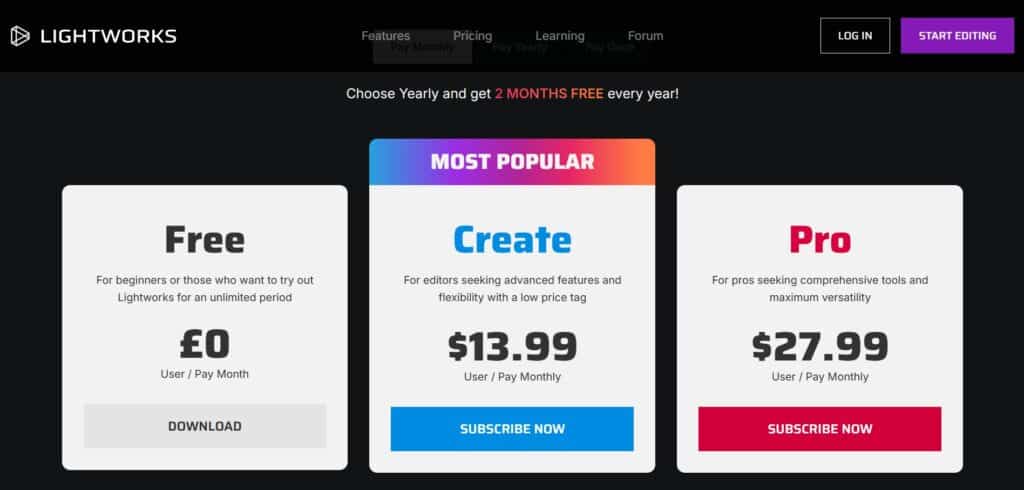
| Pricing From | $13.99 Per User Per Month |
| Support | Yes |
| Best Used For | AI Video Editing |
| Affiliate Program | No |
| White Label | No |
| API | No |
Gallery
Description
Features
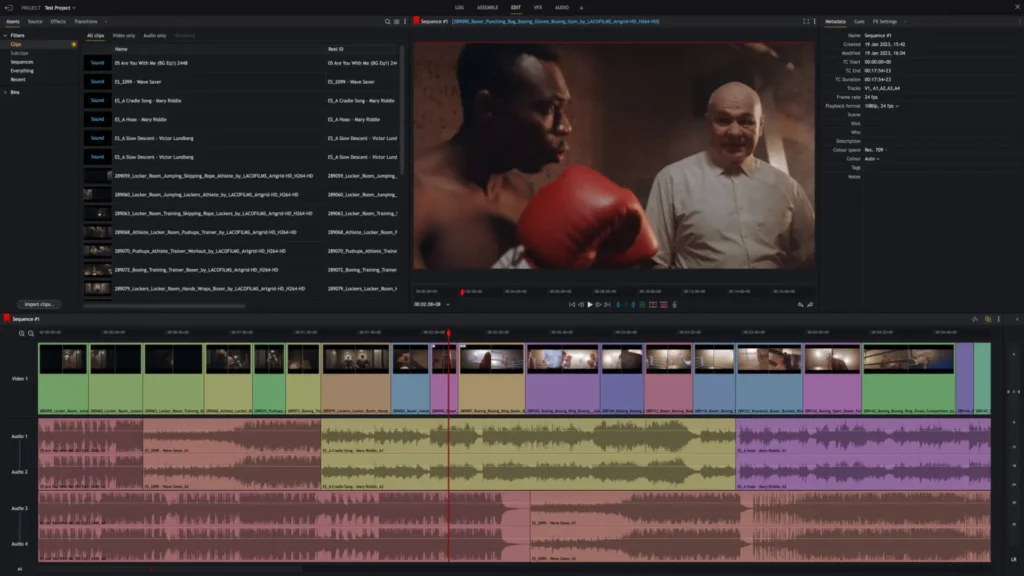
- Dynamic video and audio editing
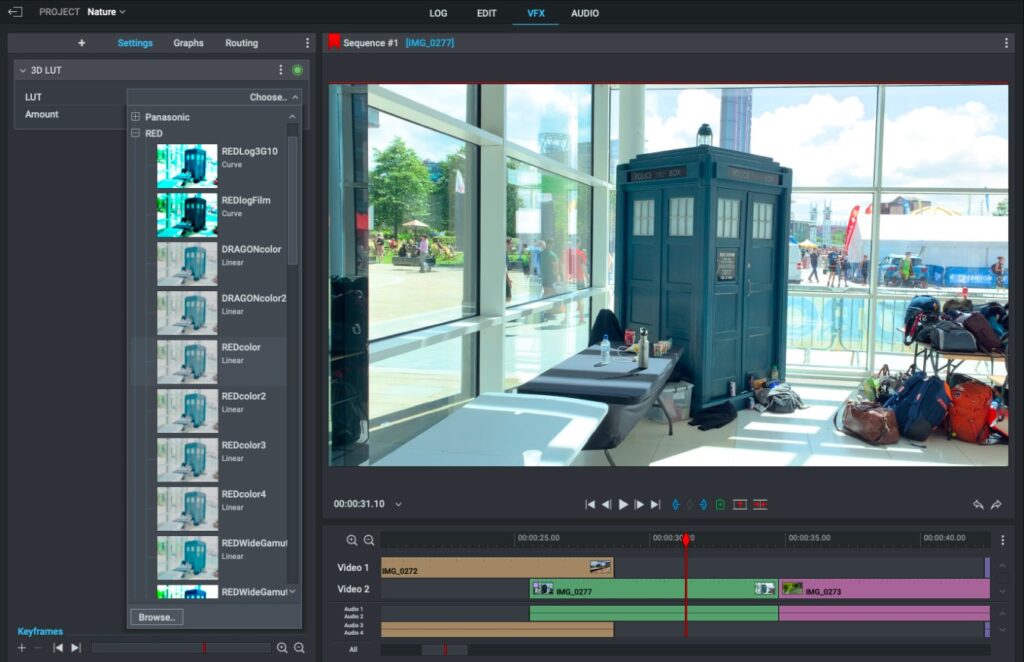
- Vibrant color grading and HDR workflows
- Impressive visual effects (VFX)
- Motion graphics and 3D titling
- Advanced transitions and filters
- Background rendering and exporting
- Proxy file editing
- Customizable workspace layouts
- Enhanced audio tools
- High-quality proxies and metadata
- DAW workstation integration
- Native audio FX
- Advanced chroma keying (green screen)
- Cloud integrations (Dropbox, Google Drive, OneDrive, etc.)
- 8K export capability
- Social media export options
- LUT support
- Real-time effects and advanced titles
- Collaboration tools for review and approval workflows
- 1,500+ VFX presets from NewBlue TotalFX
- Compatibility with platforms like Netflix QC tools, Box, and Pexels
Free Plan & Pricing
Refund Policy
5 Ratings
[3.5/5]
[2.4/5]
5app.ai Rating
[N/A]
AI Review
[4/5]
Lightworks is powerful video editing software with many professional tools. It is good for both simple and advanced video projects, handles large footage well, and supports 4K export. The interface can be confusing at first but offers customizable shortcuts to speed up editing. It is especially useful for fast video production like social media clips.
Sources:- G2.com, Techradar.com, Trustradius.com
Our Expert's Opinion
[4/5]
Lightworks is a solid video editing tool with some great features, like its smooth timeline and easy export options for social media. The interface is clean and customizable, which makes it feel professional. I liked the variety of effects and the support for 4K and HDR, but some advanced tools felt a bit hidden or complicated to use at first. Compared to other apps, the free version is good, but the export limit to 720p can be disappointing if you want higher quality. Also, while it integrates with cloud platforms, setting them up takes time. Overall, it's a good choice, but it needs some patience to get the best out of it.
Videos
User Reviews - 0 reviews
Reviews
Write a ReviewThere are no reviews yet.