Summary
| Foundation Year | 2024 |
| Country | 🇫🇮 Finland |
| Founders | Santtu Keskinen |
| Tier | Freemium, Paid |
| Platforms | Desktop App |
| AI Features | AI Audio Editing, AI Speech to Text, AI Transcription Generator, AI Video Editing |
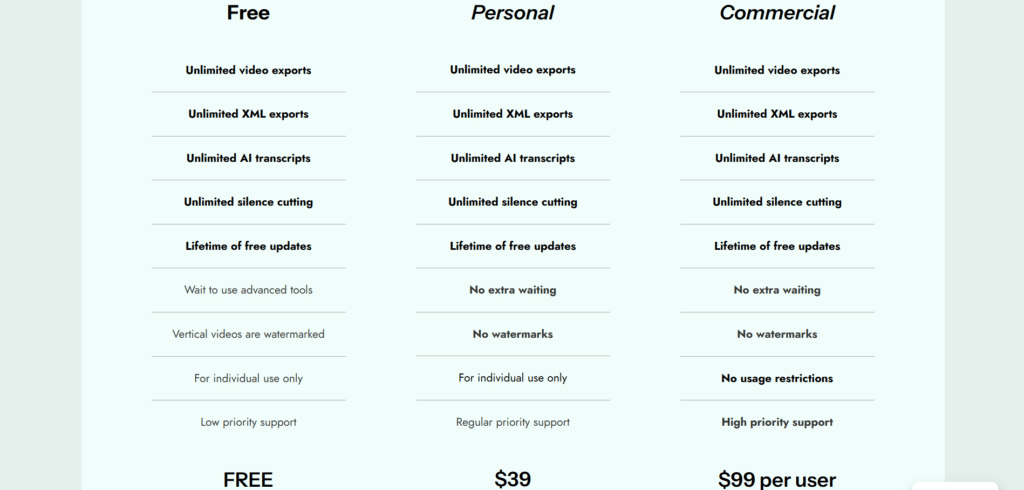
| Pricing From | $39 |
| Support | Yes (Email) |
| Best Used For | AI Video and Audio Editing, Transcription |
| Affiliate Program | No |
| White Label | No |
| API | No |
Gallery
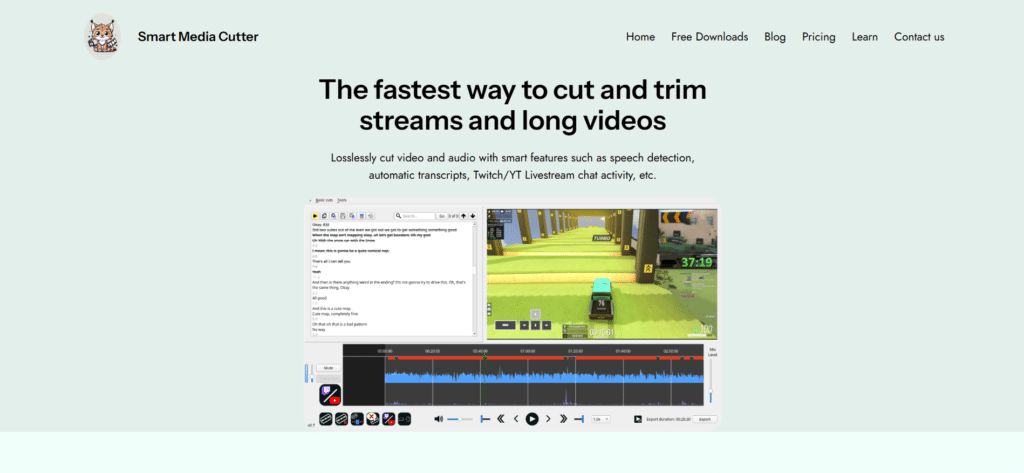
Description
Features
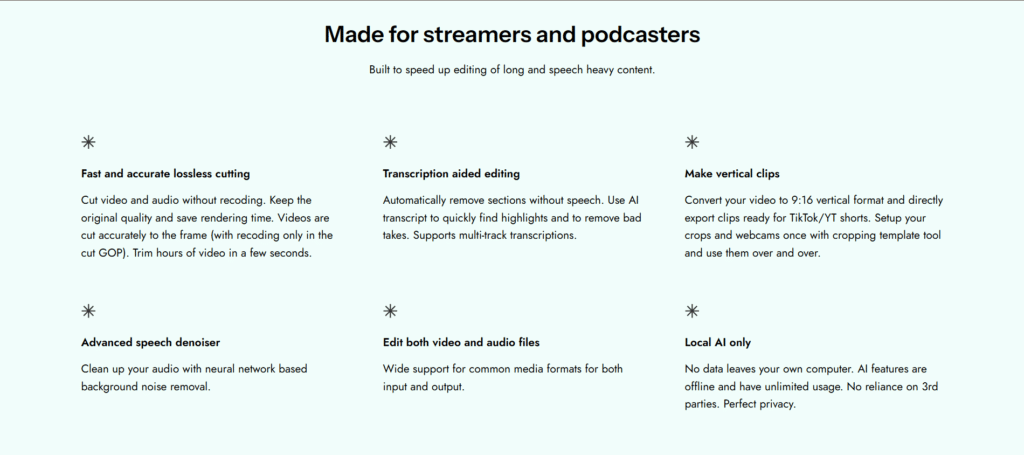
- Lossless video and audio cutting
- AI-powered transcription in up to 99 languages
- Automatic silence detection and removal
- Multi-track transcription support
- Editing via transcript with word-level timestamps
- Conversion to vertical video format (9:16)
- Cropping template tool for reusable webcam and crop setups
- Neural network-based background noise removal
- Export options to editors like DaVinci Resolve, Premiere, and Shotcut
- Support for a wide range of video and audio formats
- Local AI processing with no data leaving your computer
- Offline functionality with unlimited AI usage
- Frame-accurate cutting with minimal recoding (only in the cut GOP)
- Timeline export to Shotcut (.mlt)
- Cutting of subtitle tracks
- Tool to find and cut black frames from video
- User interface translations in 10 languages
- Light and dark themes
Free Plan & Pricing
Refund Policy
5 Ratings
[N/A]
[N/A]
5app.ai Rating
[N/A]
AI Review
[2.5/5]
Smart Media Cutter offers advanced AI-powered video and audio editing features with lossless cutting and transcription support, but it has mixed user opinions. While some praise its fast, privacy-focused editing capabilities, others find the product's trustworthiness questionable with low trust scores reported on scam review sites.
Sources:- Aipure.ai, Scam-detector.com, 5app.ai, Videohelp.com
Our Expert's Opinion
[4.5/5]
I tried Smart Media Cutter after using other editing tools, and it feels fast and easy to use, especially for cutting long videos without losing quality. The transcript and silence removal tools save a lot of time, and making vertical clips is simple with the crop templates. I like that everything runs offline, so I don’t have to upload anything. But the interface can feel a bit basic and sometimes confusing at first. Also, if you need more advanced editing, you still have to export to another app. It’s great for quick cuts and cleaning up speech-heavy videos, but not a full editing solution.
Videos
User Reviews - 0 reviews
Reviews
Write a ReviewThere are no reviews yet.